
Network infrastructure for hospitals and clinics
We design, build and expand healthcare network infrastructure with our own team, in hospitals, clinics and diagnostic centres. We split the network into segments for staff, medical devices and patients, configure next-generation firewalls (NGFW), switches and Wi-Fi, and connect your sites securely.
When a hospital or clinic network needs rebuilding
-
Every device on one network
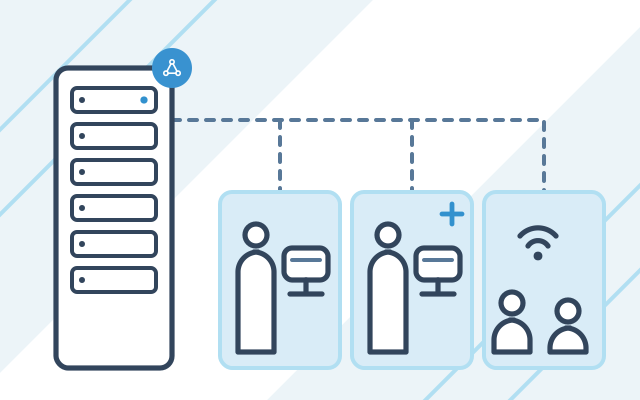
Computers, medical devices, cameras and guest Wi-Fi share one network, so an infection on one device can spread to the rest. Separate segments with controlled traffic between them stop this.
-
New consulting rooms without network points
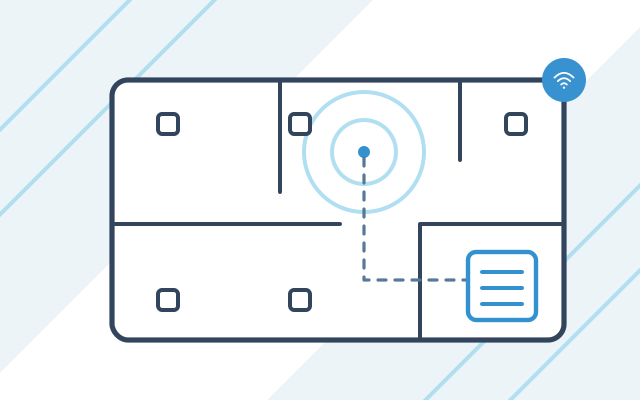
An extension often leaves too few sockets, no space in the rack and weak Wi-Fi coverage. Network points are best planned with the floor plan, before the finishing work starts.
-
Patient Wi-Fi on the staff network
Patients use Wi-Fi in the waiting room, while the same network serves reception and consulting rooms. A separate guest network gives them internet access only.
-
No up-to-date network documentation
Nobody knows which device uses which socket or what rules are set on the firewall. After a build or rebuild, you receive a network diagram, IP addressing and device configurations.
A hospital or clinic network rarely starts out in its final shape. Consulting rooms, medical devices, cameras and new sites are added over time, and everything ends up on one flat network. When we extend it, we reorganise it so that each device works in the right segment and traffic between segments is controlled.
How we segment the network
| Segment | What runs in it |
|---|---|
| Staff | Computers in consulting rooms, reception and administration |
| Servers | Medical system servers and backups |
| Medical devices | Imaging equipment and other medical devices connected to the network |
| Printers and cameras | Office devices and CCTV |
| Guests | Patient Wi-Fi with internet access only |
We agree the number of segments and the rules between them in the design, based on a list of your devices and systems.
For doctors who report scans remotely, we set up separate secure connections, described on our teleradiology IT page. After the build, you can add network maintenance to our IT support for clinics and medical centres.
What we do
- Network design for new buildings, together with the floor plan
- Structured cabling and rack cabinet installation
- Network segmentation: staff, servers, medical devices, printers and cameras, and patient Wi-Fi
- Deployment and configuration of NGFW firewalls
- Selection and configuration of switches and Wi-Fi access points
- Encrypted VPN tunnels between sites and remote access for staff
- Backup internet connection, recommended when the medical system runs in the cloud
- Network documentation after the build, updated with later changes
Who it is for
- You are building or extending a hospital or clinic and want to plan the network before the finishing work
- Your network grew with your organisation, and today computers, medical devices, cameras and guest Wi-Fi all share one network
- You have several sites that use one medical system
- Doctors work remotely and need secure access to your systems
- Your hospital or clinic falls under the Polish National Cybersecurity System Act (KSC), which implements the NIS2 Directive, and your infrastructure documentation needs putting in order
Cabling and racks in a new or extended building
Based on the floor plan, we design network points in consulting rooms, reception and diagnostic rooms, the space for the rack and the placement of Wi-Fi access points.
- Design of network points and rack cabinets
- Structured cabling and rack installation
- Wi-Fi access point placement
- As-built documentation
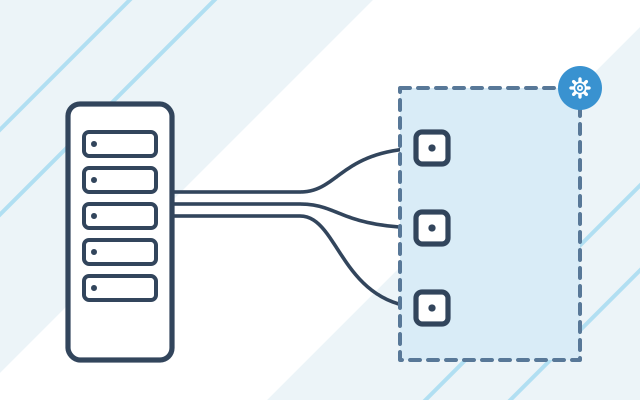
Network segments and an NGFW firewall
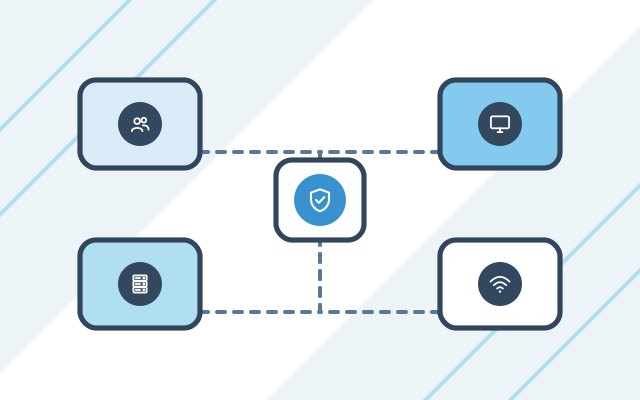
Staff computers, servers, medical devices, printers and cameras, and patient Wi-Fi each go into a separate segment. The NGFW firewall lets through only the traffic needed for work.
- Separate segments for staff, servers and medical devices
- Guest Wi-Fi with internet access only
- Firewall rules for traffic between segments
- Switch configuration to match the segments
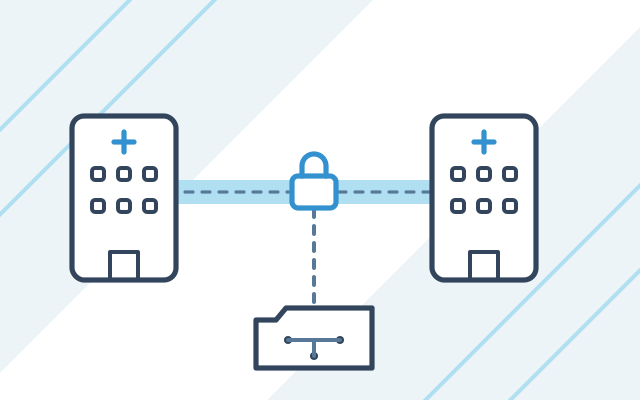
Connections between sites
Your sites are connected with encrypted VPN tunnels, and your staff get remote access to the systems they need.
- VPN tunnels between sites
- Remote access for staff
- Backup internet connection for cloud-based systems
How we work
-

Site survey
We look at the building or the floor plans, the existing cabling and devices. We agree which systems and devices need to run on the network.
-

Design
We design the network points, the segments, the traffic rules between them and the Wi-Fi layout, then select the equipment.
-

Installation and configuration
We install the cabling and racks and configure the firewall, switches and Wi-Fi. Where possible, we schedule network downtime outside patient hours.
-

Testing and documentation
We check that systems and devices work in every segment. You receive the network diagram and the as-built documentation.
-

Maintenance
As part of ongoing support, we update the devices, oversee the firewall rules and extend the network as you add consulting rooms and sites.
Pricing
Net prices. We will prepare an exact quote after a short conversation about your needs.
| Service | Billing model | Price | What it depends on |
|---|---|---|---|
| Network build or extension | fixed price per project | individual quote | number of network points and sites, segmentation of the medical network, equipment (NGFW, switches, Wi-Fi) |
| Network maintenance under an IT support monthly plan | monthly plan with a set number of hours | from 1,400 PLN net / month | number of hours each month, required response time (SLA), 24/7 on-call cover as an add-on |
Experience and partners
- For a hospital with an emergency department, we deployed Fortinet firewalls and switches and split its network into segments.
- Our partners include Fortinet, Cisco, Extreme Networks and TP-Link.
-
 Fortinet Authorized Reseller
-
 Cisco Partner
-
 Extreme Networks Authorized Partner
-

Cisco and the Cisco logo are trademarks or registered trademarks of Cisco Systems, Inc. and/or its affiliates in the United States and certain other countries.
Security and regulations
-
Information security management system
A healthcare provider covered by the KSC Act must implement an information security management system by 3 April 2027. The system covers supply chain security, which includes assessing the companies that build and maintain the infrastructure. You can add the network documentation we give you to the documentation of this system.
Polish Act of 5 July 2018 on the National Cybersecurity System, Article 8, as amended by the Act of 23 January 2026 (Journal of Laws 2026, item 252) Legal status as of
-
Responsibility of the head of a healthcare provider
The head of the healthcare provider is responsible for meeting the obligations under the Act, even when tasks are outsourced to an external company. We design, build and configure the network and document the work we do.
Polish Act of 5 July 2018 on the National Cybersecurity System, Article 8c, as amended by the Act of 23 January 2026 (Journal of Laws 2026, item 252) Legal status as of
Frequently asked questions
Why does a hospital or clinic network need to be split into segments?
Segmentation stops an infected device from reaching other systems. Staff computers, servers, medical devices and patient Wi-Fi work in separate segments, and the firewall lets through only the traffic needed for work. An infected patient's phone or an older medical device then cannot become a route to medical records.
Do you build the network yourselves?
Yes. We design, build and configure the network ourselves, and we are responsible for both the cabling and the firewall rules.
Can you extend an existing network?
Yes. We start by reviewing the cabling, devices and configuration. Then we add new network points and devices, and tidy up the segments and documentation along the way.
How can we offer patients Wi-Fi safely?
We set up a separate guest network that gives internet access only and cannot see computers, servers or medical devices. Staff use a different Wi-Fi network with its own security.
What does the network documentation include?
The network diagram, IP addressing, a description of the segments and the device configurations, including the firewall rules. We hand it over after a build or rebuild and keep it up to date with later changes as part of ongoing support.
Do you work in hospitals and clinics that stay open?
Yes. We agree any work that requires the network to be switched off with your team in advance and carry it out outside patient hours wherever possible. We also support hospitals and clinics that run around the clock. There, we limit the impact of downtime, for example by preparing users beforehand.
See also
-
IT support for clinics and medical centres
We look after servers, networks, backups and medical systems on a monthly plan from PLN 1,400 per month excl. VAT.
-
IT for teleradiology
We set up remote connections for reporting radiologists, onboard new radiologists and provide IT support for teleradiology providers.
-
IT hardware and software for clinics and hospitals
We select, supply, configure and service servers, computers, laptops and accessories, and deploy Microsoft 365.
-
Conetso Group
Fortinet: firewalls and VPN
FortiGate, VPN and remote access configuration at Conetso Group.
-
Conetso Group
Business network installation
Cabling, rack cabinets, Wi-Fi and switches for offices and production sites.
From our blog

Network segmentation in a clinic: medical devices and Wi-Fi
Network segmentation in a clinic separates staff, medical devices, guest Wi-Fi and printers. We explain the traffic rules and how to protect older devices.